ARKANCE UK Community Help Center home page
Back to ARKANCE website Blogs FAQs Support
Blogs Videos White Papers On-Demand Webinars News Meet the Bloggers
Sign in
  1. ARKANCE UK Community
  2. Content
  3. White Papers

Search

AutoCAD Electrical 2016 - Wire Colour / Gauge Labels

Marketing
Marketing
  • Updated February 13, 2025 18:26

By Miles Nicholson


wiring_mn_01.jpg 

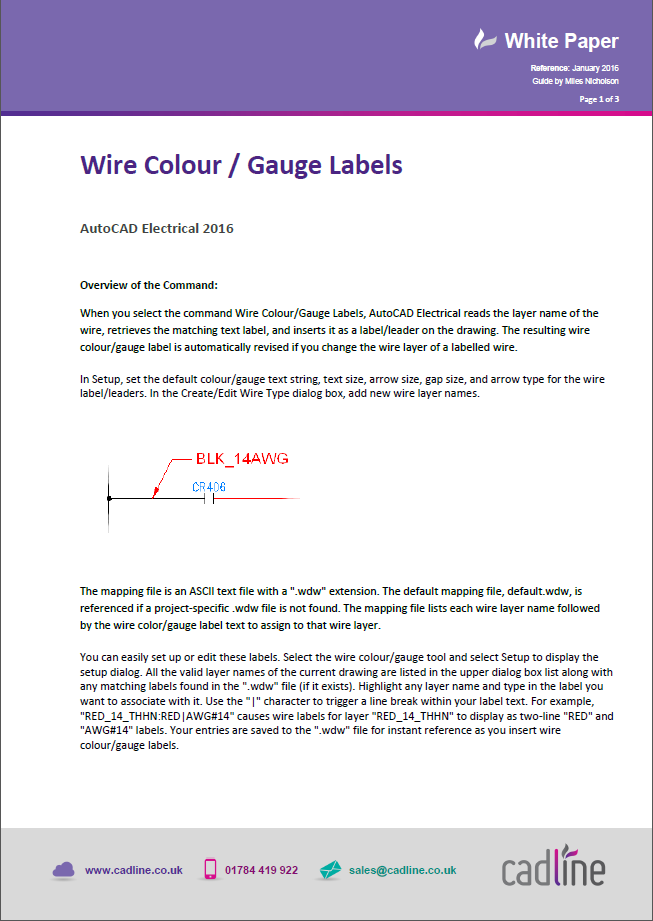
The following tips and tricks describes how the Wire Colour/Gauge feature works inside of AutoCAD® Electrical and describes best working methodology.
  • 203727045300 KB

Was this article helpful?

0 out of 0 found this helpful

Have more questions? Submit a request

Related articles

  • AutoCAD Electrical 2020 – Create Wire Colour/Gauge Information From Your Existing Wire Types
  • AutoCAD Electrical 2021 – Project-wide Update/Retag
  • AutoCAD Electrical 2026 – Migrating From A Previous Release
  • elecworks – Fan In & Fan Out of Wires / Cables
  • AutoCAD 2020 / 2021 - Additional Features of Block Insert Command

Comments

0 comments

Please sign in to leave a comment.

Articles in this section

  • AutoCAD Electrical 2026 – Migrating From A Previous Release
  • Civil 3D - Installation check Country kit UKIE
  • AutoCAD Tip - Organise Drawings with Sheet Set Manager
  • AutoCAD Electrical 2024 – What is the {project name}.WDP file?
  • Revit 2024 – Grading Revit’s Toposolid for cut and fill values
  • Revit 2024 – A deeper look at Revit’s new Site Tools
  • Civil 3D® & Dynamo - Transform 2D Polylines into Pipe Network
  • AutoCAD Electrical 2023 – Point to Point Schematic Tools
  • Civil 3D - UKIE Template - Sub-assembly baseline part naming
  • Inventor 2023 - Defining The Mating Surfaces For An Electrical Inventor 3D Part

See all 916 articles

Footer Image
Back to ARKANCE website Our Products About ARKANCE
English (United Kingdom)