
by Gareth Spencer
Where can you find Product Licence Information, Build Number and see which Service Pack is installed for Revit?
Although I am using Revit as an example here, you should be able to find the same information in all the other Autodesk products.
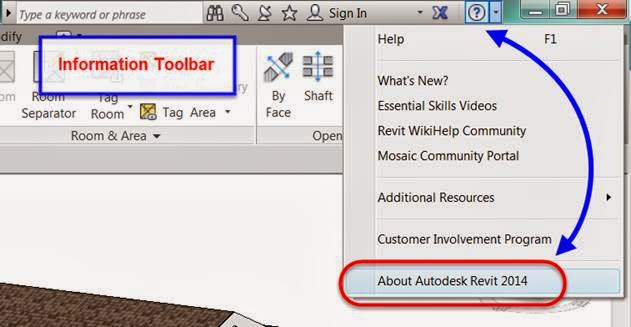
You can find this information in Revit on the Information Toolbar in the top right-hand side of the screen. Next to the Revit Help icon -  - you will see an arrow, if you click on that, you will see the following drop-down list. Select 'About Autodesk Revit 2014' (or whichever version you are using).
The About Autodesk Revit 2014 dialog box will appear on screen (see below image). In the top right-hand side it will list the Build number and which service pack is installed. As you can see in the below image, Update Release 2 is installed, so it's updated.

To find the Product Licence Information just simply click on the button:

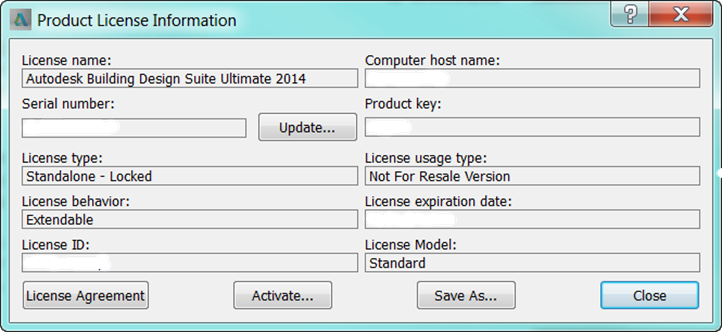
Which will bring up a further dialog box containing details of the product licence (see below image):
Comments
0 comments
Please sign in to leave a comment.