
by Kim Hyde
On a recent customer visit I was asked if you could use the Advanced Search tool in Vault to find parts that are not used in any assembly … it seems not! :-)
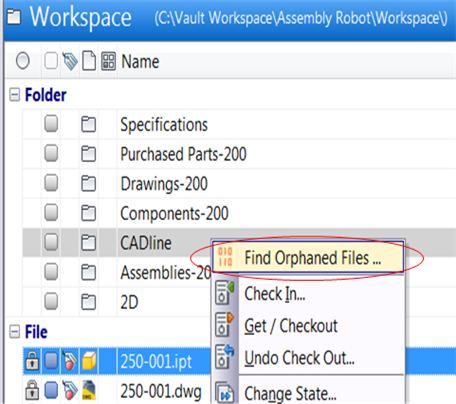
After a quick `Google’ I came across this great Vault 2014 tool written by Jan Liska from Autodesk; once installed the tool is available via a right-click menu from a folder selection. It is a simple and effective tool for quickly and easily finding files that have no parents:
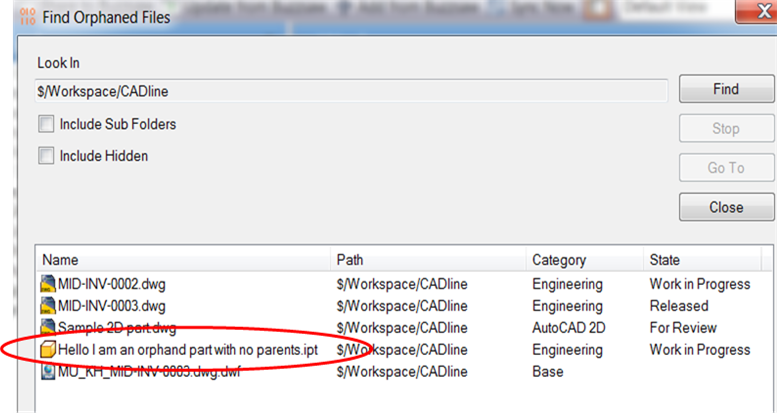
A couple of things to note, namely, that you can select or de-select to search sub-folders; the other is that most drawings do not have parents.
Click here to download the Vault 2014 tool.
For those of you after a Vault 2013 or just code, please refer to Doug Redmond’s blog:
http://justonesandzeros.typepad.com/blog/2013/12/find-orphaned-files-2014.html
Comments
0 comments
Please sign in to leave a comment.