
By Gus Petrikas
Cannot access Vault through Inventor? Unable to use Vault tools through the Vault Tab in Inventor, because some of the items are greyed out? We have a quick fix for you:

- Close all open drawings, assemblies and parts.
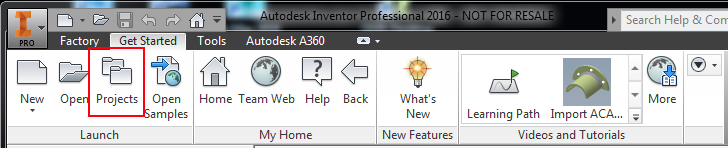
- Navigate to the “Get Started” tab.
- Hit Projects.
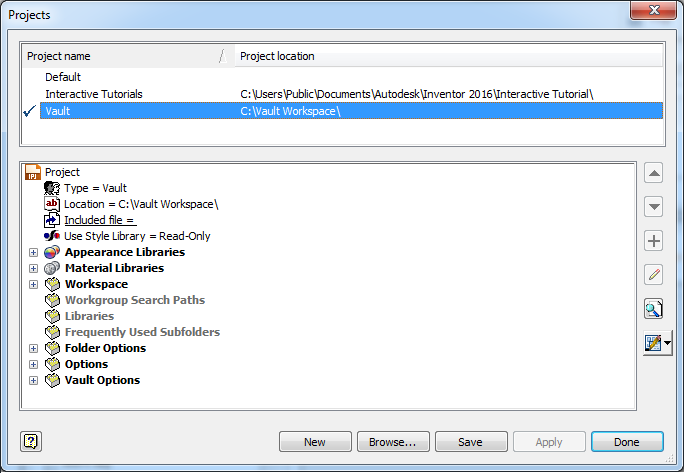
- Activate you Vault project, by selecting the correct project in the top windows and clicking Done.
Ta-da!

Comments
0 comments
Please sign in to leave a comment.