
By Gus Petrikas
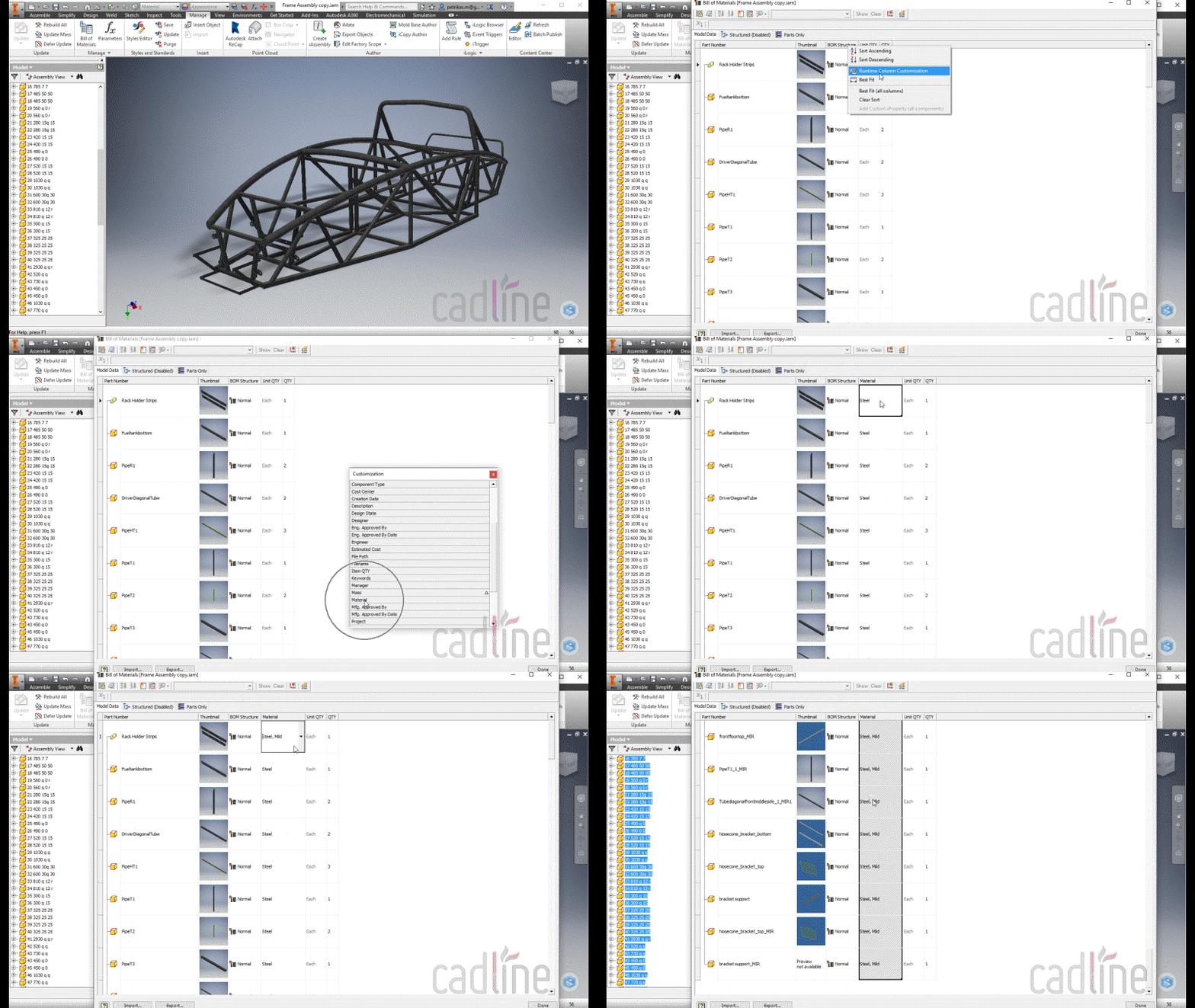
Here’s a very easy way to change the materials of multiple parts in an assembly the quick way:
- Open the assembly
- Open the BOM
- Right-click on the column title
- Select Runtime Column Customisation
- Find Material in the list
- Drag-and-drop the Material column between all the other columns
- Change the material of the first item
- Grab the corner of the first cell, and drag it down Excel-style
- Hit Done, and you’re done!
Comments
0 comments
Please sign in to leave a comment.